
How Obsidian Saved My Voice Editing Sanity (And Why I’m Building Voice Flow)
Raw voice files scattered across my computer. Clients emailing asking for previous versions. Revision cycles that never seemed to end. No reliable way to track which take had the best energy, which chapter needed one more pass, or where I’d stored that crucial piece of client feedback.
Then I discovered Obsidian—and everything changed.
The Breaking Point: Living in File Hell
My “workflow” was mostly damage control.
Most editing sessions started the same way: more time hunting than editing. I’d open my file manager and see multiple versions of the same project, all with slightly different names. I couldn’t answer simple questions like: which version did the client actually approve, and where did I save it?
Clients would ask to go back to a previous version “from the other day,” and I’d spend far too long trying to reconstruct what they meant. It felt like audio archaeology, scrubbing through files, guessing based on dates, hoping I picked the right one.
My head was full of half‑remembered notes about EQ tweaks, preferred takes, and time changes. By the end of the week, it all blurred together. I’d dig through old messages trying to find what the client had said, just so I could avoid making the same mistakes twice.
On top of that, I was already working long days at my regular job and editing in the evenings. The actual audio work still felt meaningful. The chaos wrapped around it did not. It was exhausting, and I knew I couldn’t keep working that way.
If any of that sounds familiar, you’re not alone.
The Obsidian Discovery: An Accidental Solution
I didn’t go looking for a project management tool. I went looking for a better way to stay organized in general.
Through another area of my life, I stumbled across Obsidian. It’s a tool built around simple text files you own, stored in folders you control. No rigid structure, no forced cloud usage—just notes and links you can shape into something that fits how you think.
At first, I used it for something completely different. But as I got used to it, a question formed:
“If I can organize my life and ideas in here, why not my voice projects?”
So I tried a small experiment. I created a space in Obsidian just for one project and started treating it as the “brain” of that work. One note held the big picture. Others captured recording sessions, editing decisions, and client feedback. Everything was connected instead of scattered.
It didn’t take long to notice the difference.
I felt more organized, but also more confident and professional. There was finally a system behind the work instead of just effort and stress.
The System Emerges
Once I saw that this approach worked, I started refining it. Over the next month, a clearer structure and method emerged.
The key realization was simple:
Every voice project goes through a handful of stages. Each stage has predictable problems. A good system is one that prepares for those problems before they appear.
So I built around that idea.
- A way to capture what happens in recording and editing sessions, so I don’t rely on memory.
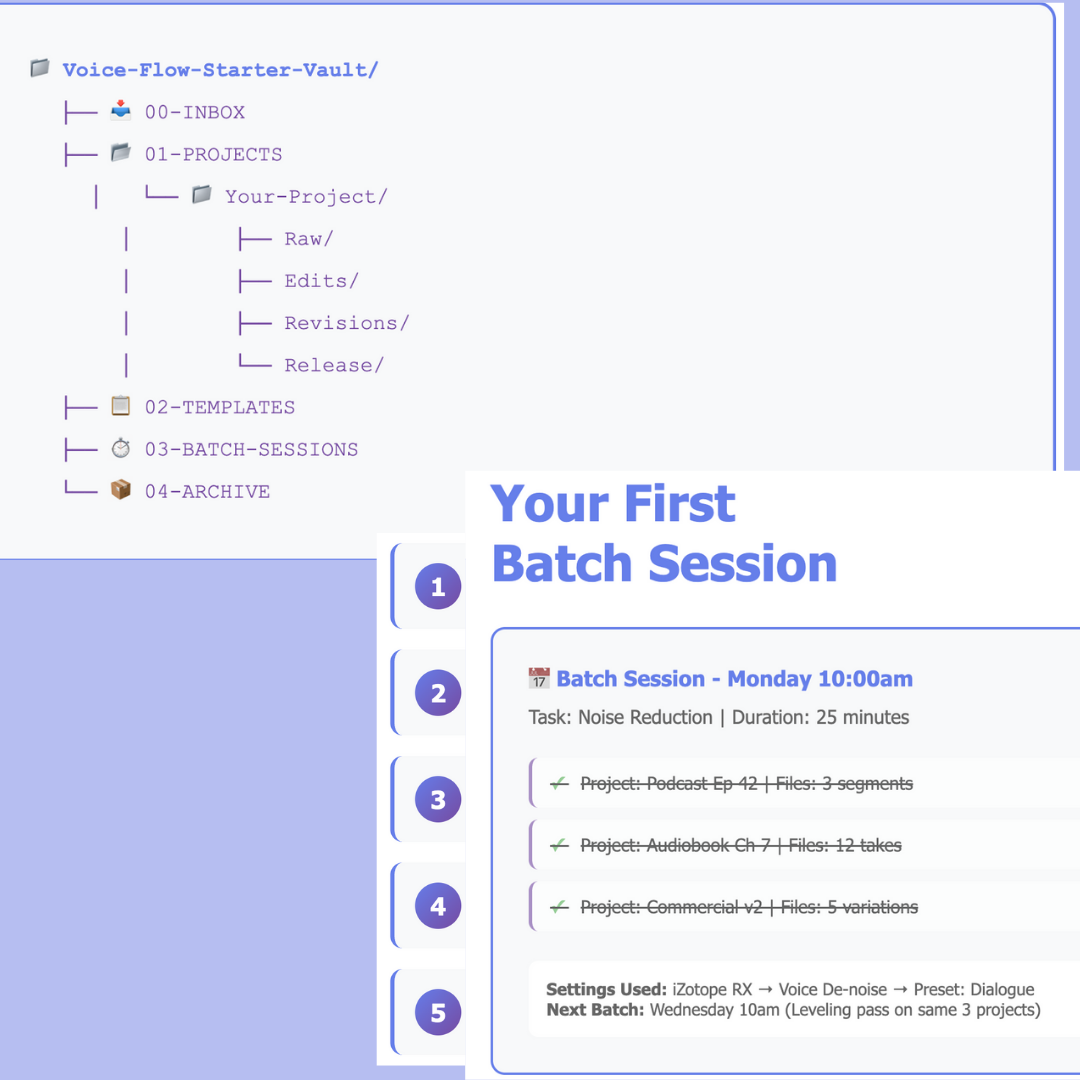
- A way to organize projects consistently, so I always know where things belong.
- A way to work in batches, so similar tasks happen together instead of constantly switching.
- A way to release projects with clear checklists, so I don’t forget important delivery details under pressure.
None of it is complicated. In fact, the simplicity is what makes it work. The structure is just strong enough to keep chaos out, but flexible enough to adapt to different types of voice work: podcasts, audiobooks, commercial jobs, and more.
What This Could Mean for You
I’m writing this because I know many people working with voice or audio in general are in a similar place: good at the craft, frustrated by the chaos.
If you:
- Spend too much time searching for files
- Feel nervous when a client asks to revisit an earlier version
- Hold too many project details in your head
- Constantly feel like you’re one step away from losing track of something important
…then the bottleneck might not be your skills or your tools—it might be your system.
That’s why I’m turning what I’ve built into something others can use: Voice Flow Vault.
It’s an Obsidian‑based structure and method designed specifically for voice work. It pulls together:
- A consistent way to capture what happens in sessions
- A clear way to organize projects so nothing gets lost
- A practical approach to batching work
- Simple checklists for delivering projects with confidence
It’s the system I now rely on, shaped by real projects and real deadlines, cleaned up so others don’t have to reinvent it from scratch.
The Freedom Factor
Looking back, Obsidian wasn’t just another app for me. It became a way out of constant stress.
- Freedom from the fear of missing files or forgetting details
- Freedom from wasting time on disorganization instead of craft
- Freedom to take on more work without feeling like everything might collapse
The change didn’t happen in a single night, but it did happen. I went from feeling like I was barely keeping up, to feeling like I was driving the process instead of reacting to it.
If you’re tired of living in “file hell,” if you feel like your current system is constantly in your way, it might be time to try a different approach.
That’s what Voice Flow is about: taking the weight of chaos off your shoulders so you can focus on the actual work.
If you want to share what your current workflow looks like or what frustrates you the most, feel free to tell me. Hearing real challenges helps shape what this system becomes next.
Comments